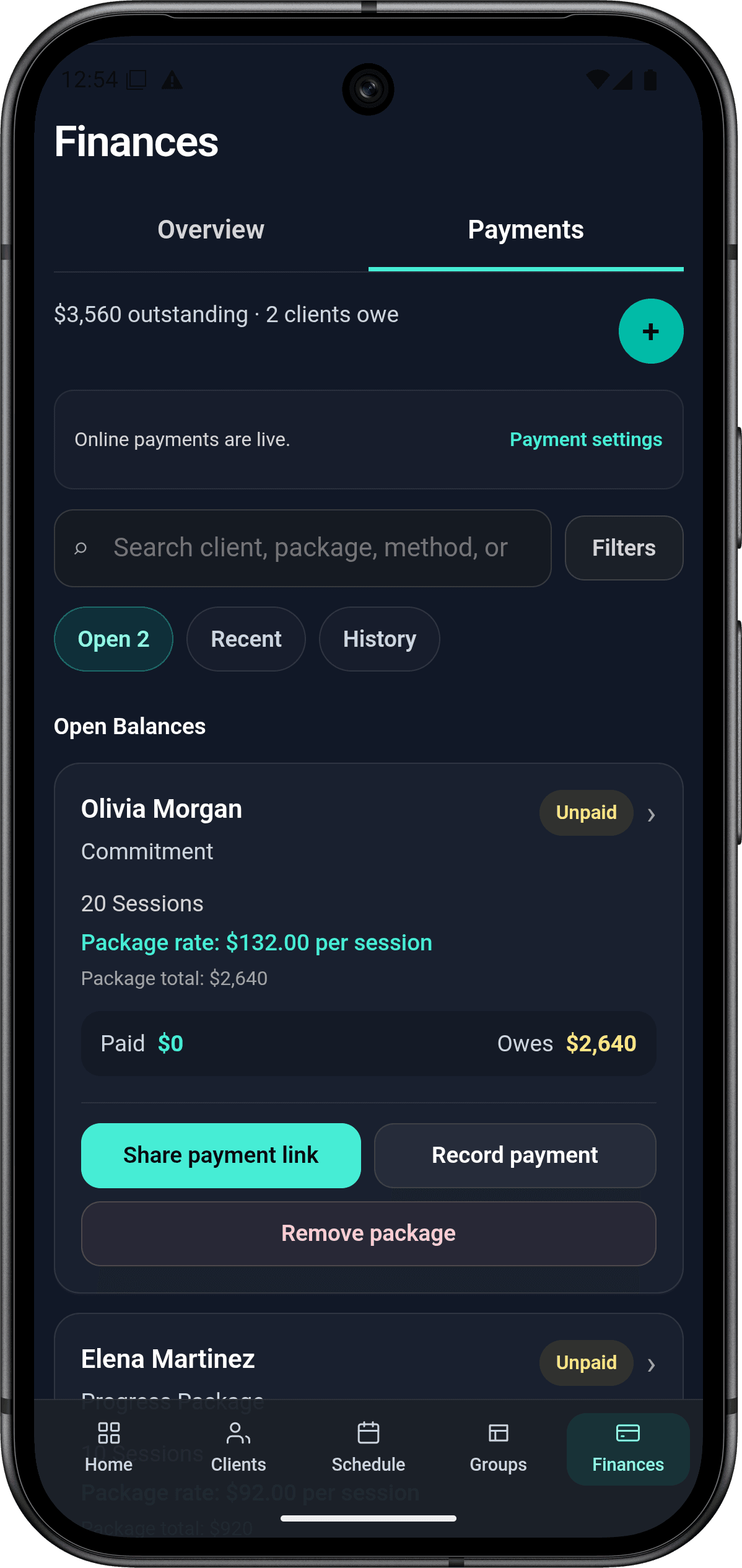
Payment tracking

Keep coaching payments connected to students and lesson packages.

Short answer

izow helps coaches record Stripe, cash, check, Venmo, and Zelle payments while keeping each payment connected to the correct student, lesson package, open balance, and income record.

The current izow app

See the coaching business clearly before your next lesson.

Move from today’s schedule to student records, open balances, payments, and income planning without rebuilding the same information in separate tools.

izow coaching business dashboard with today's lessons and money snapshot
Dashboard
izow student list with lesson credits, balances, and payment actions
Students
izow lesson schedule with agenda, calendar views, and lesson details
Lessons
izow payment workspace with open balances and payment records
Payments
izow Income Planner with monthly progress, yearly income, and tax set-aside
Income
Check availability and review booking conflicts before scheduling.
Manage individual lessons or select upcoming lessons from a student profile.
Track lesson credits, open balances, payment history, and secure payment links.
Set monthly income goals and review progress, expenses, and estimated tax set-asides.

Why a payment list is not enough

A bank or payment-app history can show that money moved, but it usually does not show which lesson package was paid, how much remains outstanding, or how the payment affects coaching income. izow keeps those records together.

  • Student and package connected to each payment
  • Paid amount and remaining balance
  • Payment date and method
  • Payment history and income records

Record the payment methods coaches already use

Coaches can manually record payments received outside izow. This makes it possible to keep one accurate business record even when students and parents use different payment methods.

  • Cash
  • Check
  • Venmo
  • Zelle
  • Other manually collected payments
  • Secure Stripe payments with Pro

Accept online payments through your own Stripe account

Pro coaches can connect their own Stripe account and create secure payment links for open lesson-package balances. Eligible checkout options can include cards, Apple Pay, Google Pay, Link, Cash App Pay, and Klarna. Stripe processes the payment and manages payouts. izow does not currently take a percentage of the coach's lesson payment.

What izow does not do

izow does not hold coach funds, manually approve payouts, or store full card numbers. Stripe controls card processing and payout timing under the coach's connected Stripe account.

Compare coaching software

Choose a tool that matches your workflow and budget.

Common questions

Clear answers before you start.

Can I record Venmo or Zelle payments?

Yes. Record the payment manually so the package balance, payment history, and income record remain accurate.

Does izow take a percentage of payments?

No. izow does not currently take a commission from lesson payments. Stripe may charge its standard processing fees for card payments.

Who receives a Stripe payment?

The coach receives the payment through the coach's connected Stripe account. The coach remains the seller and service provider.

Does izow store card numbers?

No. Students and parents enter card details on Stripe's secure payment page, and Stripe processes those details.

See whether izow fits your coaching workflow.

Start free with up to 3 active students. No credit card is required.